
Updated with Dec 10, 2025
Preparing Tools
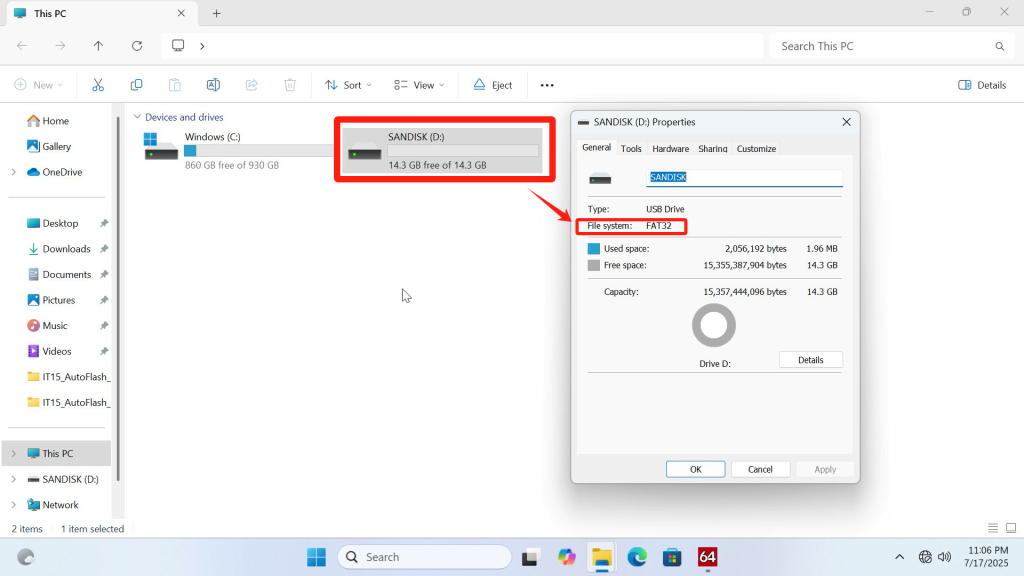
A USB flash drive in Fat32 format(If the USB drive is not in FAT32 format, you can right-click the USB drive, select “Format,” and choose FAT32 as the format type.)
EC V1.10 Download(Click here to download)
Video Tutorial
Text Tutorial(3 minutes)
1.Confirm the current firmware version
- On your desktop, press the Win + R keys to open the Run dialog box.
- Type msinfo32 and press Enter.
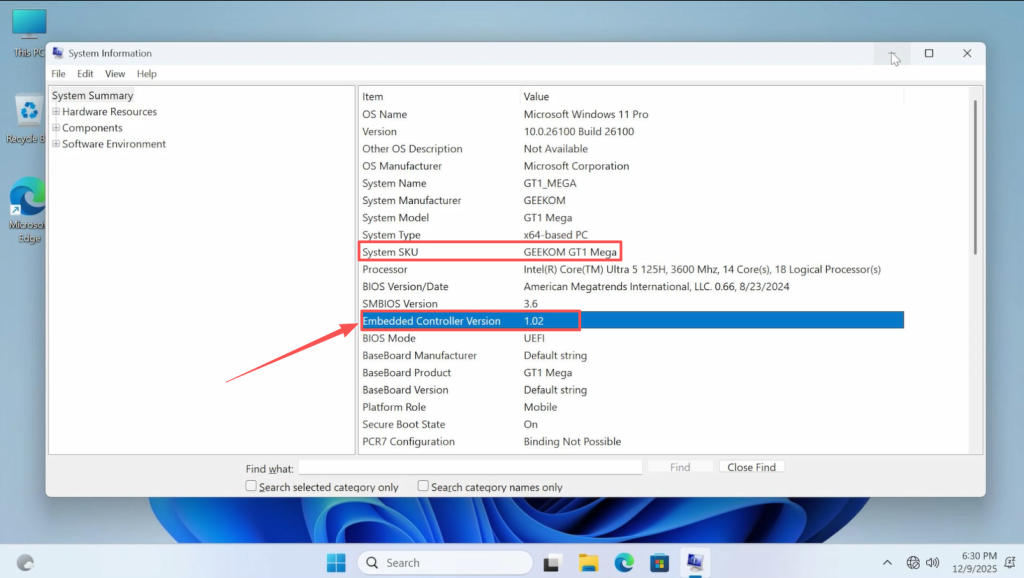
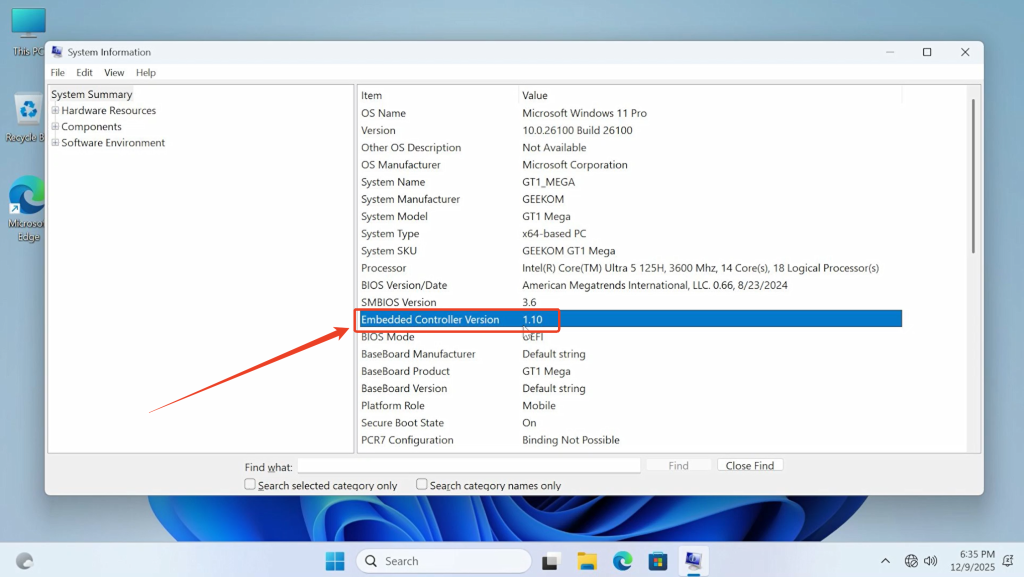
- In the System Information window that appears, look for the EC Version (usually listed under “System Summary” or a related hardware section).
- Verify if the EC version is 1.10 or note the version displayed.
2.Create a bootable USB for updating EC(3 minutes)
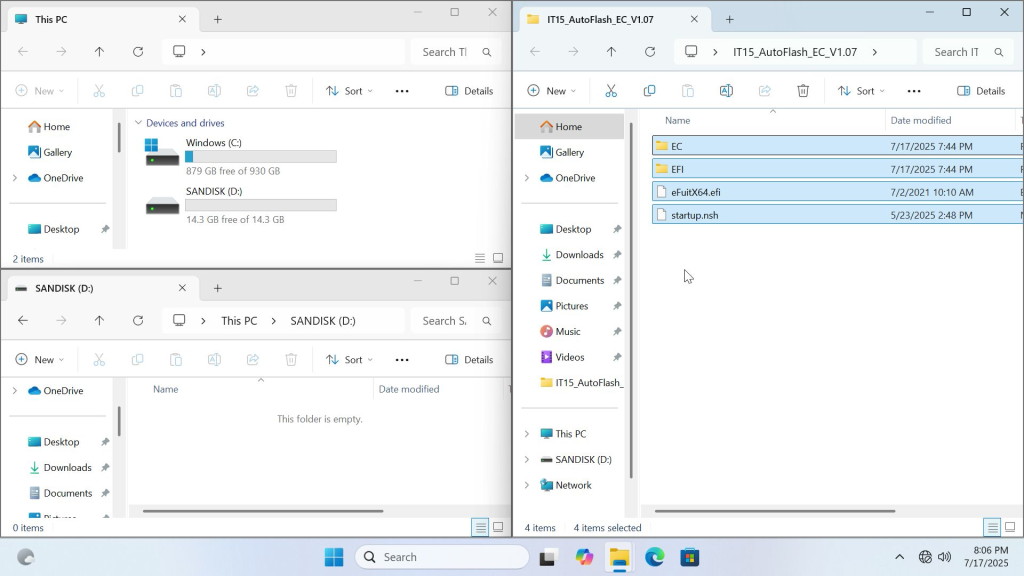
- After extracting the compressed file, place the contents of the folder onto the USB drive.Creation completed
3.Disable SecureBoot(2 minutes)
- Turn off the computer, then press and repeatedly tap the Del key on the keyboard after pressing the power button to enter the BIOS menu (Note: Bluetooth keyboards cannot be used to operate BIOS options).
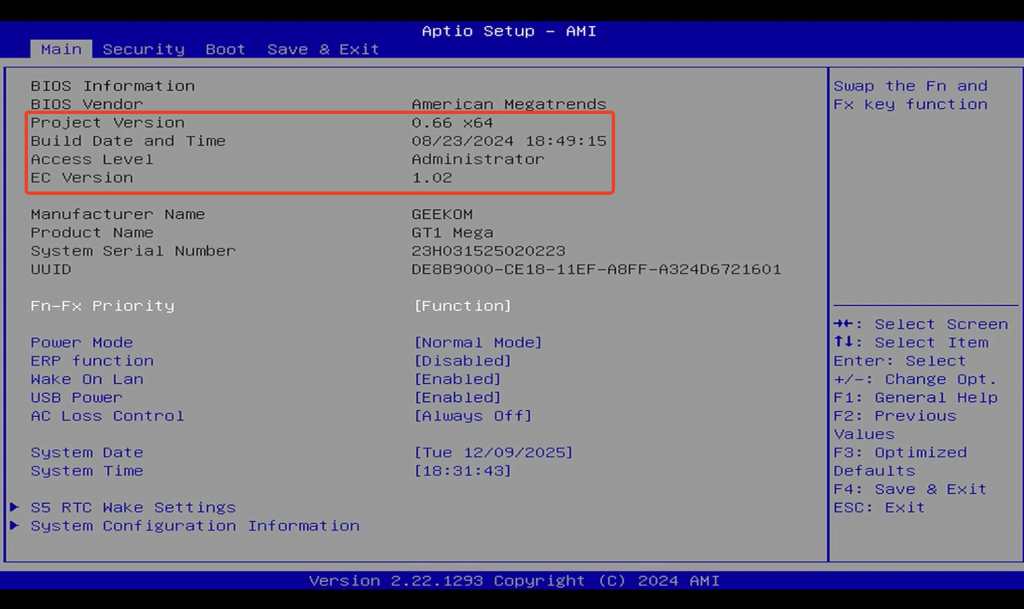
- Select the Secure Boot option under the Security tab, set it to Disable, and then press F4 to save this setting. The machine will automatically restart.
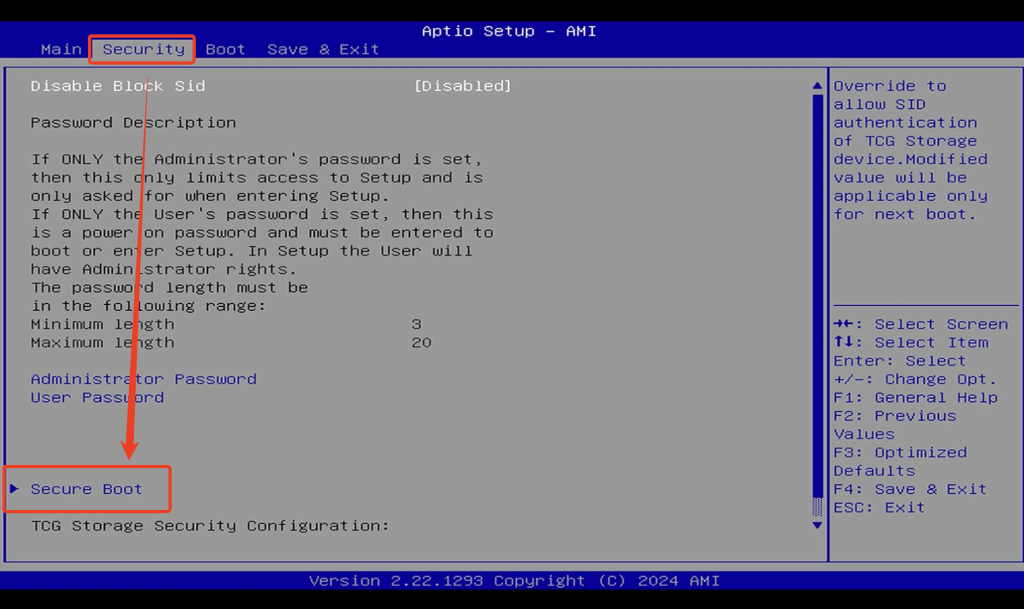
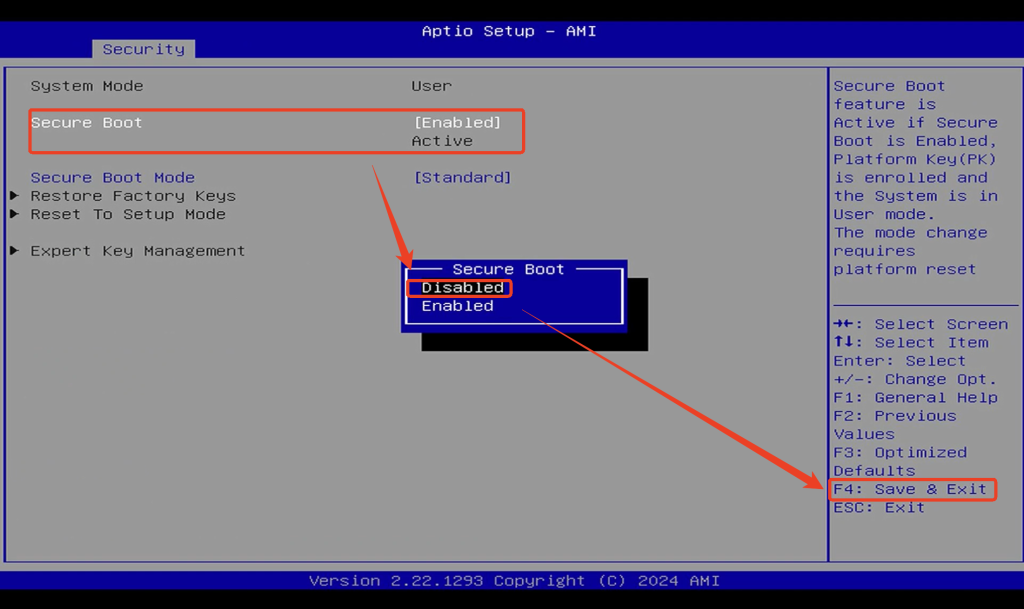
- The Secure Boot option is closely related to system security features. After successfully updating the EC, it is necessary to re-enable this option using the same method.
4.Procedure(3 minutes)
- Do not turn off or unplug the power during the update process.
- Shut down,and reinsert the USB drive
- Press the power button to start the computer and repeatedly press the F7 key until the interface below appears.
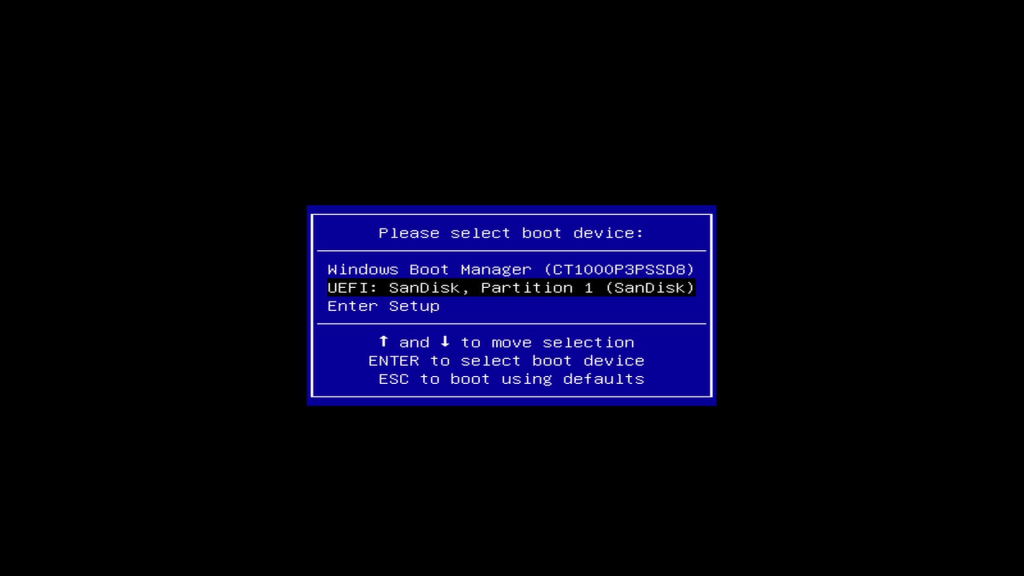
- Use the keyboard arrow keys to select the inserted USB drive for booting (the device starting with “UEFI“) and press Enter to confirm.
- From the interface below, simply press Enter repeatedly to confirm, and the automatic flashing process will begin.
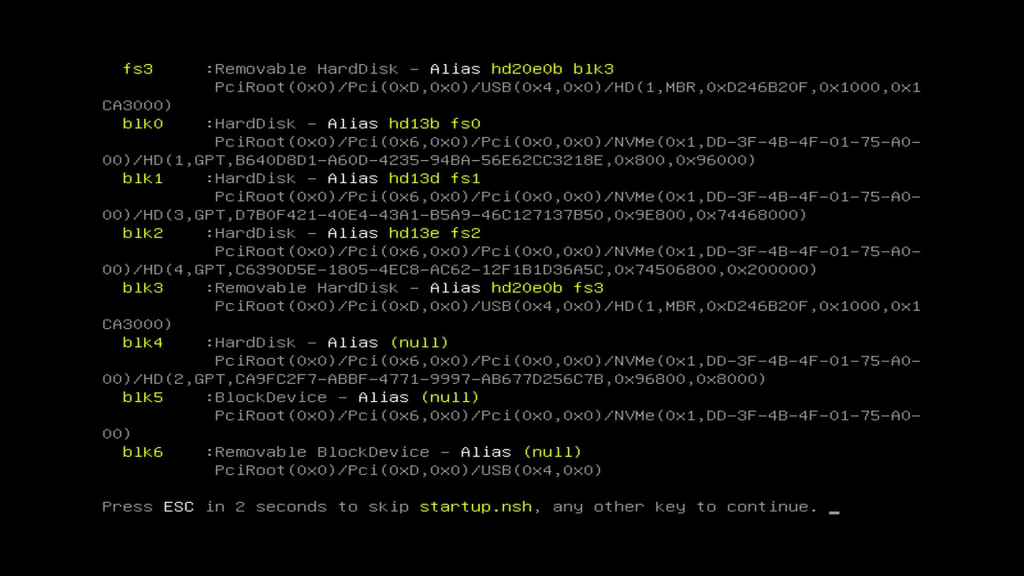
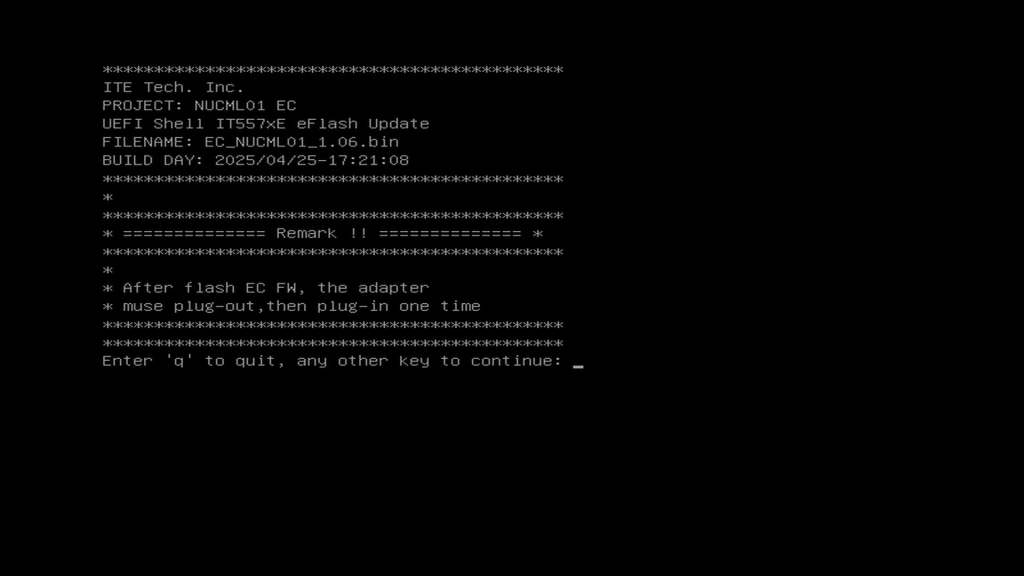
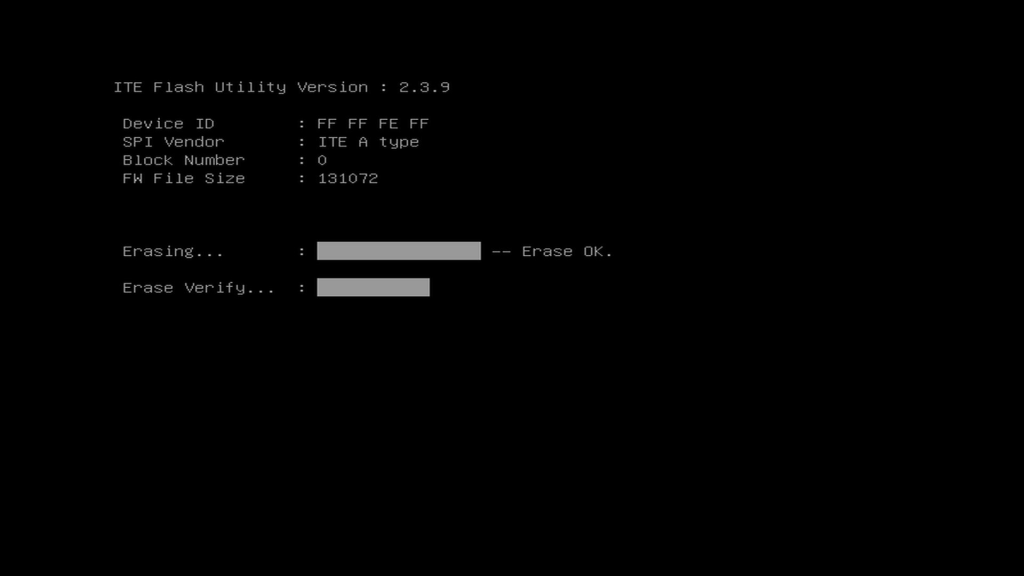
- Wait for the progress bar to complete. The machine will automatically shut down after a successful update. At this point, unplug and reconnect the power cable, then turn it on again.
- After powering on, check the EC version again. The updated file version is now 1.10—update successful!
Thank you for watching. If there are any mistakes, your corrections are welcome.

 English
  Deutsch
  English (UK)
  English (Australia)
  Français
  English (Canada)
  Italiano
  Español
  Русский
  日本語
日本語