
Updated on March 28, 2025
If you are using the A8 MAX, AX8 MAX, AE8 MAX models, you do not need to use any tools. When restarting, hold down Ctrl + H, then repeatedly press the Del/Delete key to enter the advanced mode of the BIOS menu.
If you are using the A7 MAX, A9 MAX, o A9 Mega models, hold down the Ctrl key while restarting, and then repeatedly press the H key to enter the advanced mode of the BIOS menu.
1. Descarga de la herramienta Bios:
Download Link:Pulse aquí
Note:This tool takes effect only once. After restarting the computer, you need to launch it again to access the advanced BIOS options.
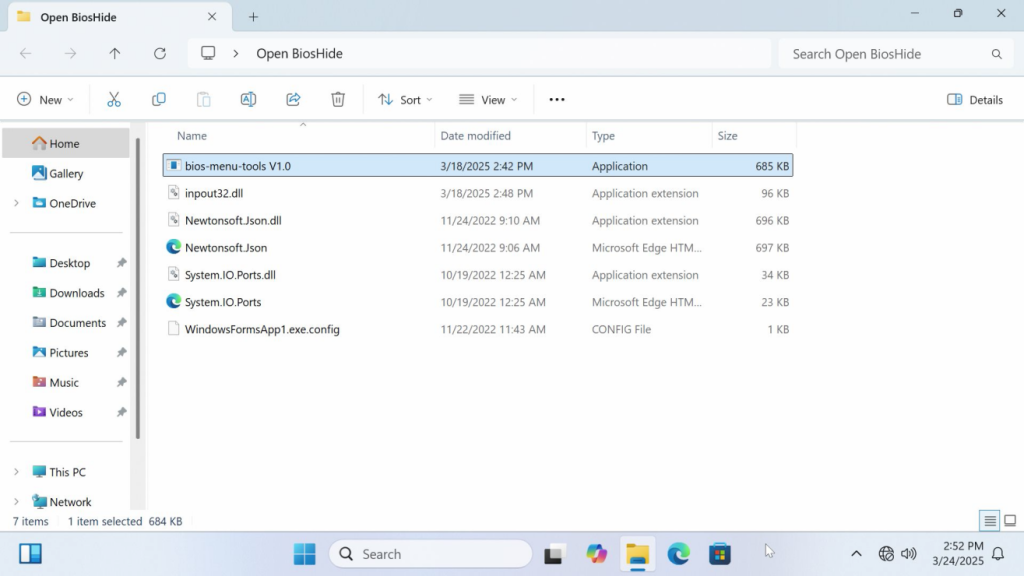
2. Step to Use
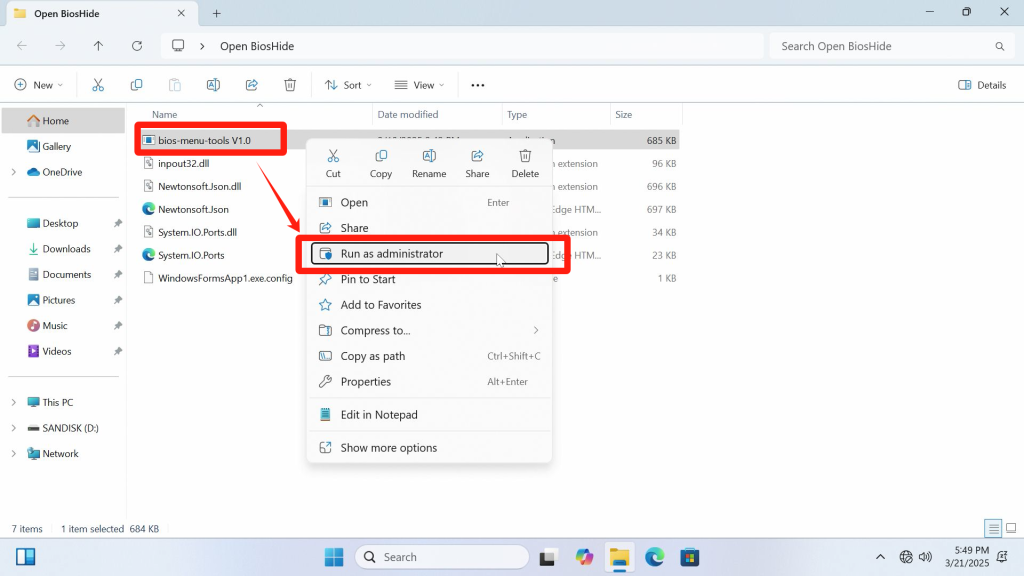
- Select the 【bios menu blockV1.0.exe】 program, right-click it, and run it as an administrator.
- Click the 【Open BIOS Menu】 button and follow the instructions. When the machine starts.
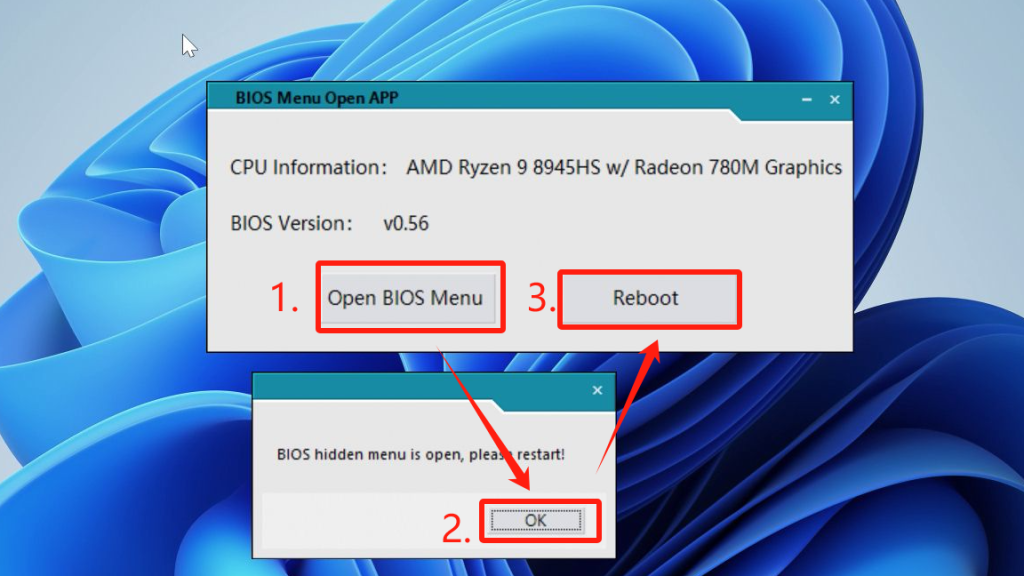
- Repeatedly press the 【Delete/Del】 key to enter the BIOS interface(For laptops, press the Esc key. For Mini PCs, you can press the Del/Borrar o Esc key).
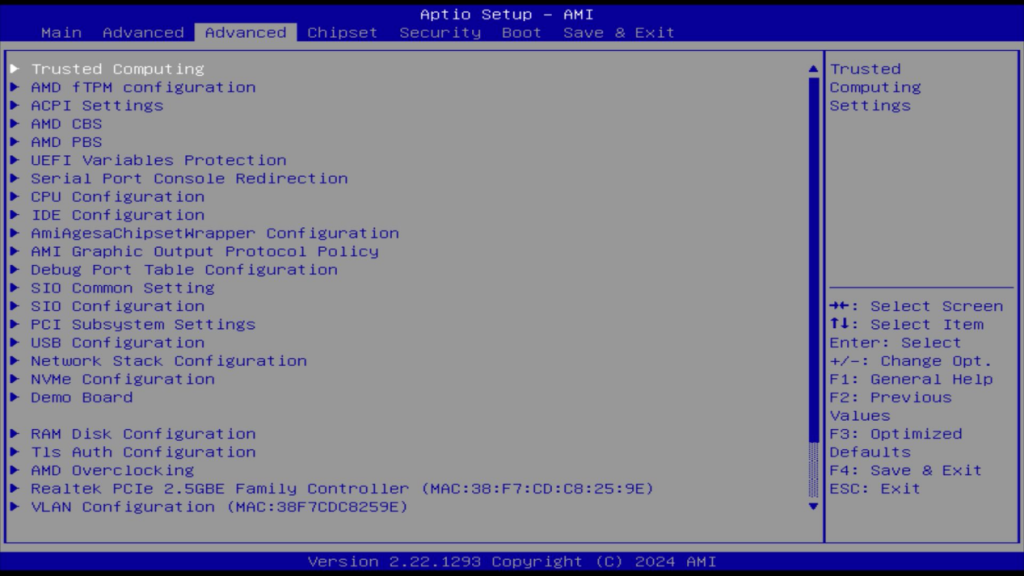
- The following image shows the BIOS menu with hidden options enabled.
Gracias por vernos. Si hay algún error, sus correcciones son bienvenidas.

 Español
  English
  Deutsch
  English (UK)
  English (Australia)
  Français
  English (Canada)
  Italiano
  Русский
  日本語
日本語