
Updated on Aug,13, 2026
Disable the “Allow this device to wake the computer” option for 2 devices in Device Manager:
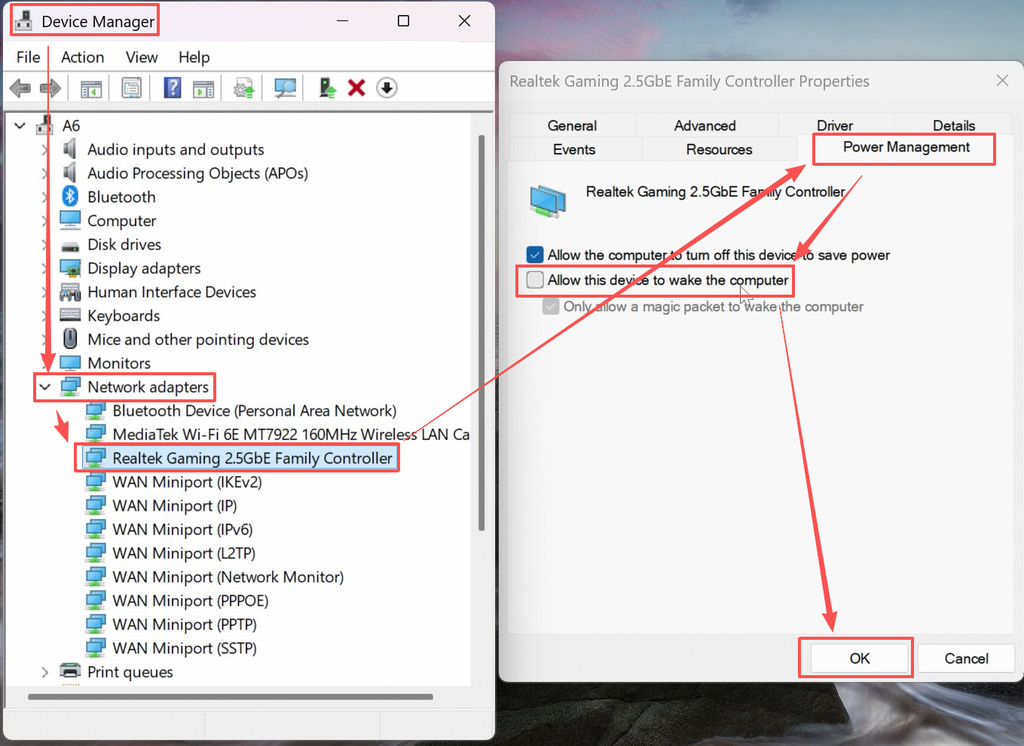
1.Enter Windows and press the shortcut Win + X + M to open Device Manager.
2.Locate the device “Realtek Gaming 2.5GBE Family Controller”, uncheck the “Allow this device to wake the computer” option, and click “OK”, as shown in the image below:
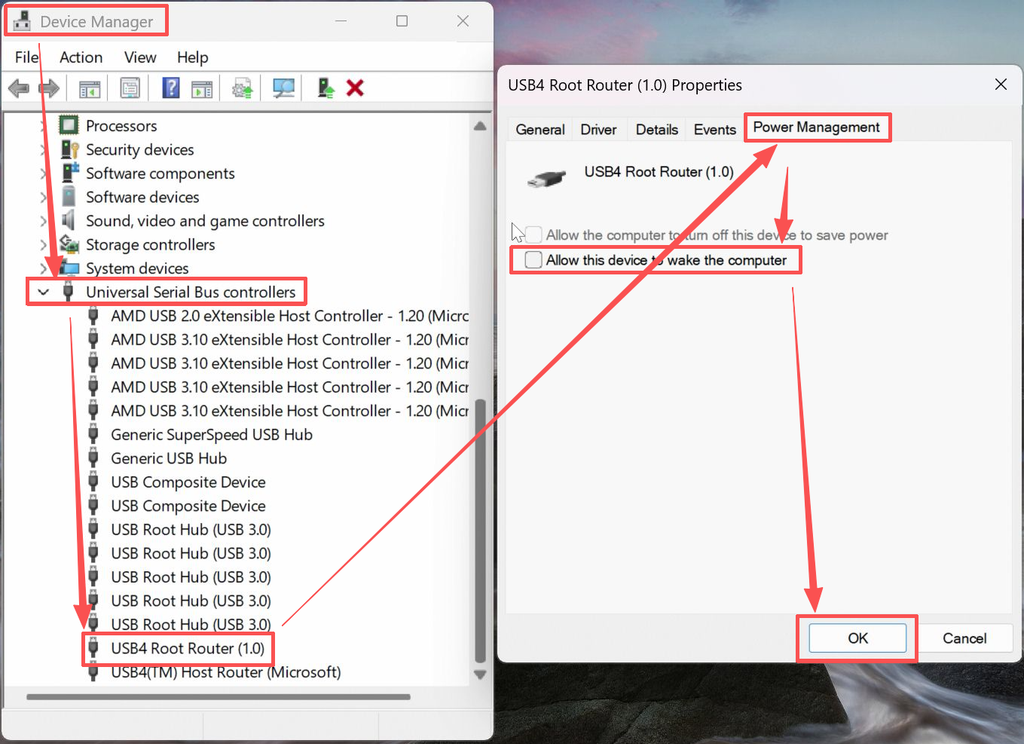
3.Locate the device “USB4 Root Router (1.0)”, uncheck the “Allow this device to wake the computer” option, and click “OK”, as shown in the image below:
4.After completing these changes, the A6 will no longer experience the issue of automatically restarting after shutdown. Of course, this fix has also been incorporated into the new BIOS version A6 6800H 2.42 — updating to this BIOS version will achieve the same result.
Thank you for watching. If there are any mistakes, your corrections are welcome.

 English
  Deutsch
  English (UK)
  English (Australia)
  Français
  English (Canada)
  Italiano
  Español
  Русский
  日本語
日本語