
Mise à jour avec le 6 novembre 2024
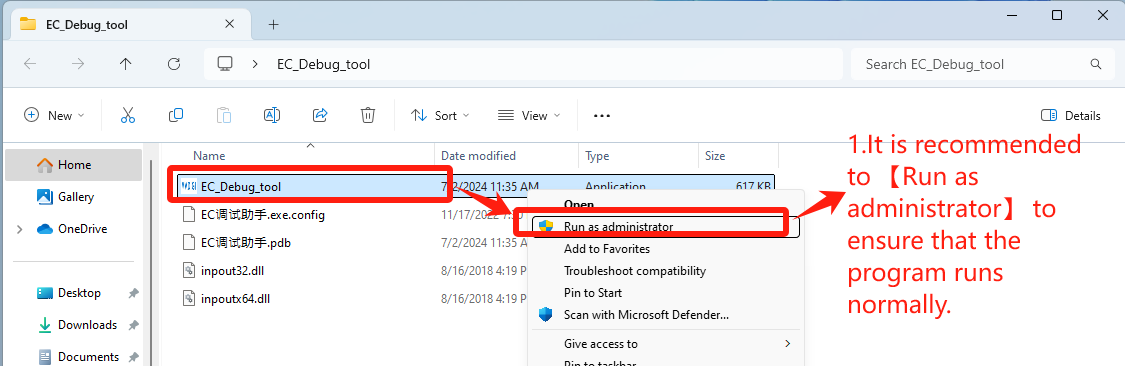
1. Double-cliquez pour ouvrir EC_Debug_tool
Téléchargement de l'outil EC : Cliquez ici
- It is recommended to 【Run as administrator】 to ensure that the program runs normally——Step1【Run as administrator】.
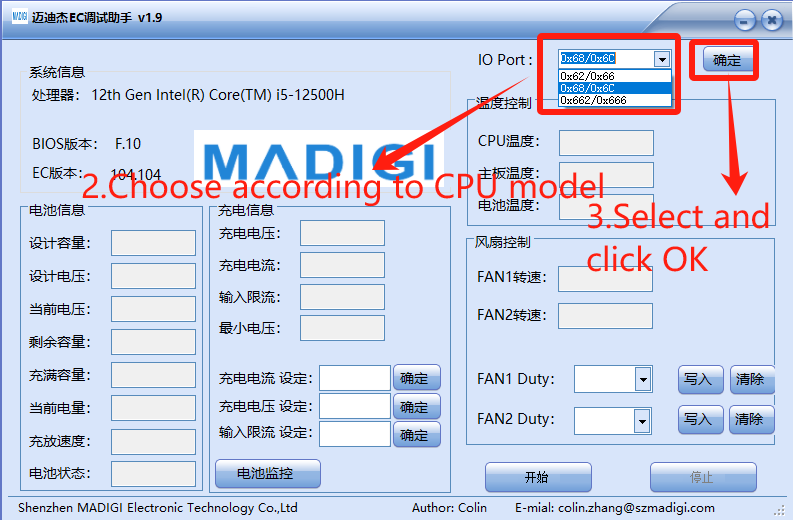
2. Défini en fonction de la marque de l'unité centrale
- Choose according to CPU model
- IO Port: Select 【0x62/0x66】for CPU Intel platform, click “OK”——Step3【确定】
- Port IO : Sélectionnez 【0x662/0x666】 pour l'unité centrale. AMD platform, click “OK”——Step3【确定】
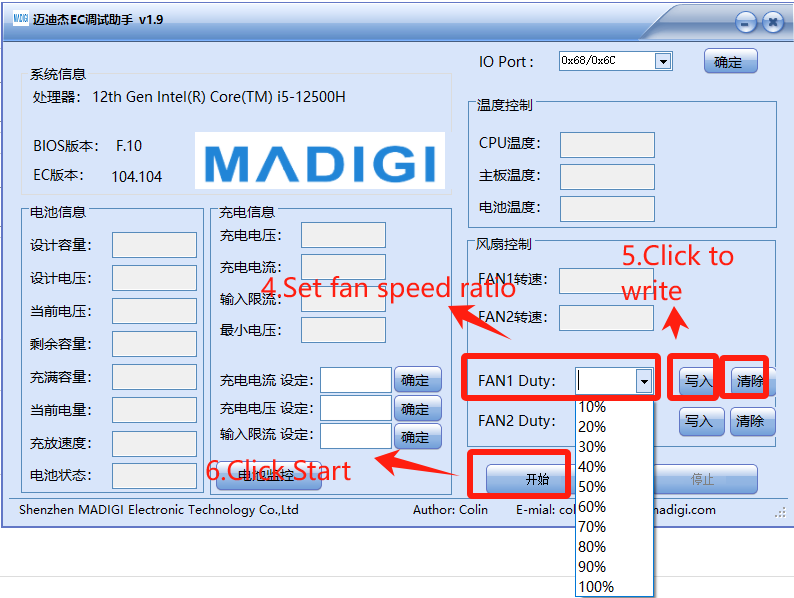
3. Régler la vitesse du ventilateur,justes réglages dans 【FAN1 Duty】
- Set fan speed ratio——Step4【FAN1 Duty】
- Click to write——Step5【写入】
- Click Start——Step6【开始】
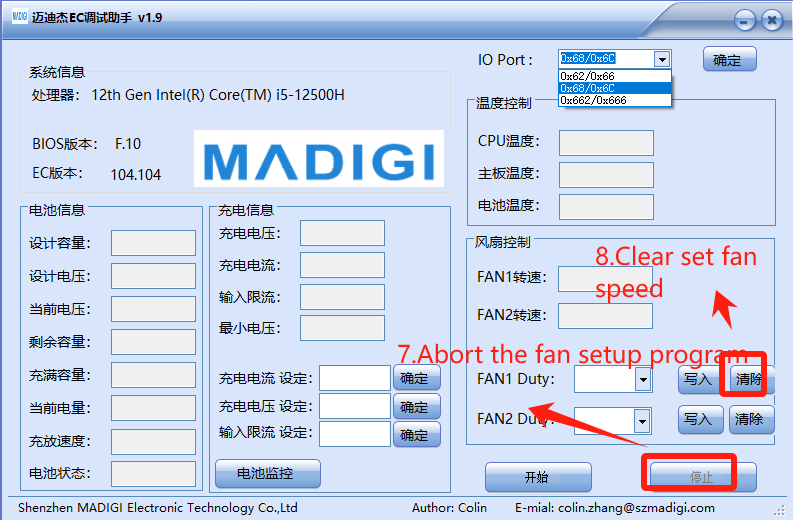
4. Effacer les paramètres et redéboguer
- Abort the fan setup program——Step7【停止】
- Clear set fan speed——Step8【清除】
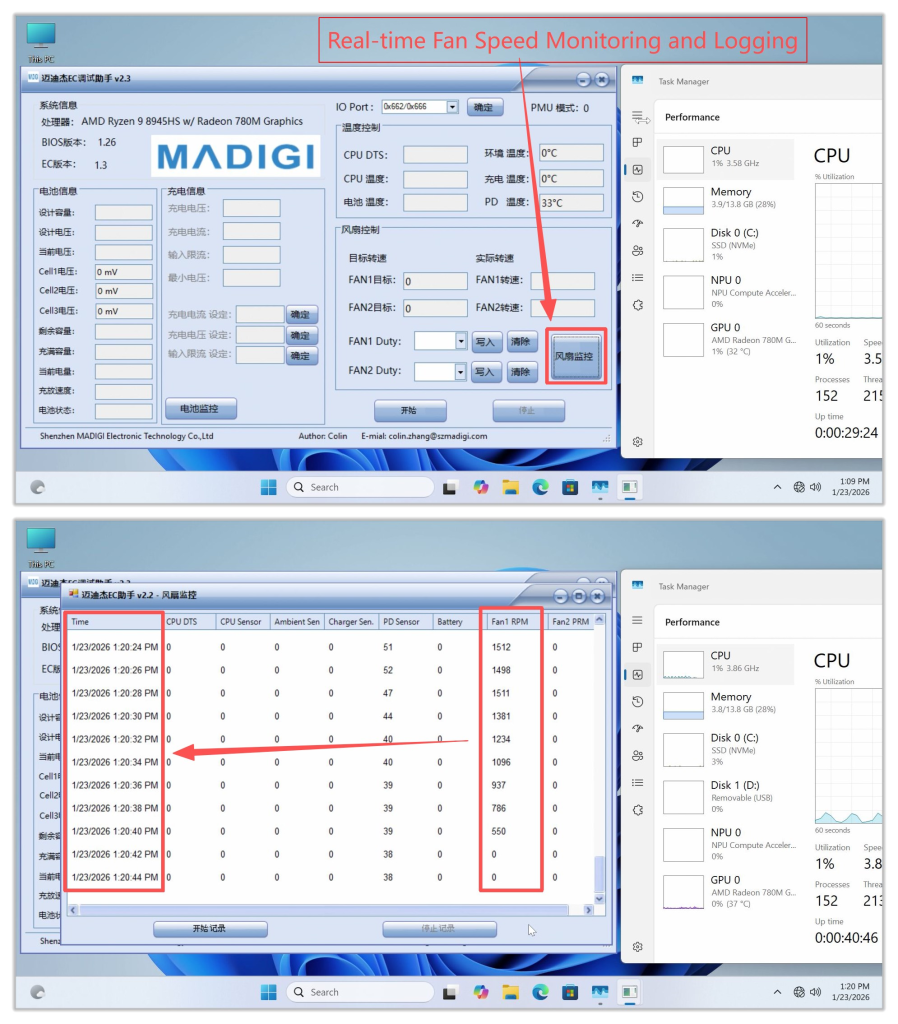
Other Features: Fan Speed Monitoring and Logging
- Clicking this button will display real‑time fan speed. If the fan speed is abnormal, you can take a screenshot and provide feedback to GEEKOM Engineers.
- It is recommended to open an additional Task Manager window and place it nearby to monitor hardware resource usage under different fan speeds. Generally, higher CPU usage leads to increased temperatures, which in turn causes the cooling fan speed to rise.
Merci d'avoir regardé. S'il y a des erreurs, vos corrections sont les bienvenues.

 Français
  English
  Deutsch
  English (UK)
  English (Australia)
  English (Canada)
  Italiano
  Español
  Русский
  日本語
日本語