
Aggiornato con il 6 novembre 2024
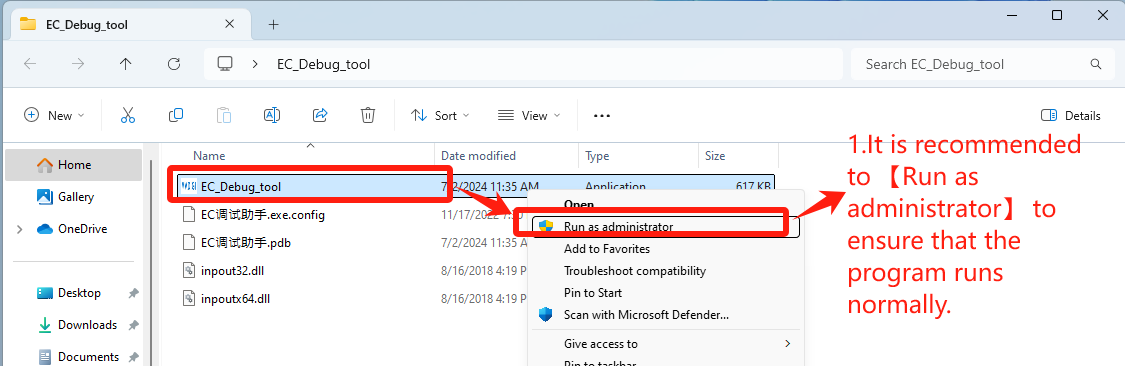
1. Fare doppio clic per aprire EC_Debug_tool
Scarica lo strumento EC: Clicchi qui
- It is recommended to 【Run as administrator】 to ensure that the program runs normally——Step1【Run as administrator】.
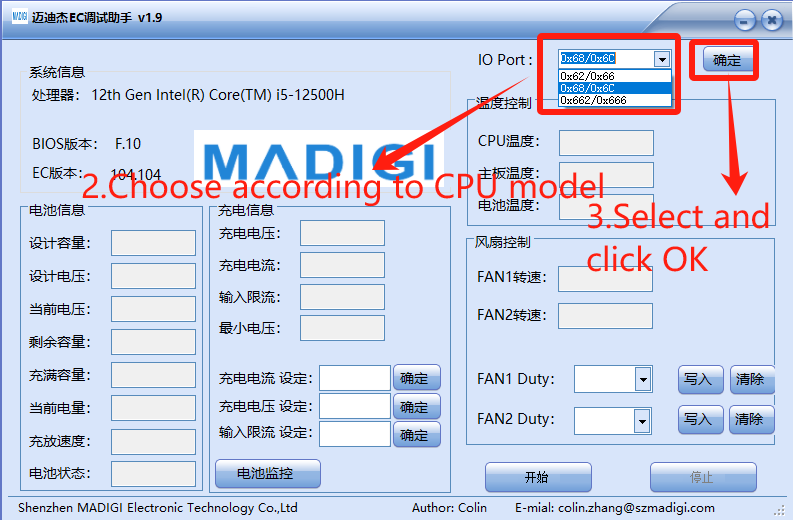
2. Imposta in base alla marca della CPU
- Choose according to CPU model
- IO Port: Select 【0x62/0x66】for CPU Intel platform, click “OK”——Step3【确定】
- Porta IO: selezionare 【0x662/0x666】 per la CPU. AMD platform, click “OK”——Step3【确定】
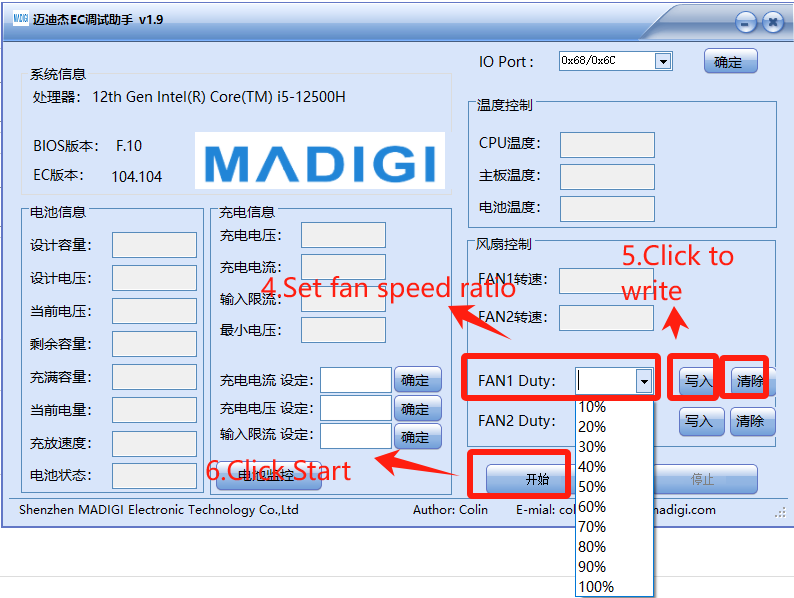
3. Impostare la velocità della ventola, impostata in 【FAN1 Duty】
- Set fan speed ratio——Step4【FAN1 Duty】
- Click to write——Step5【写入】
- Click Start——Step6【开始】
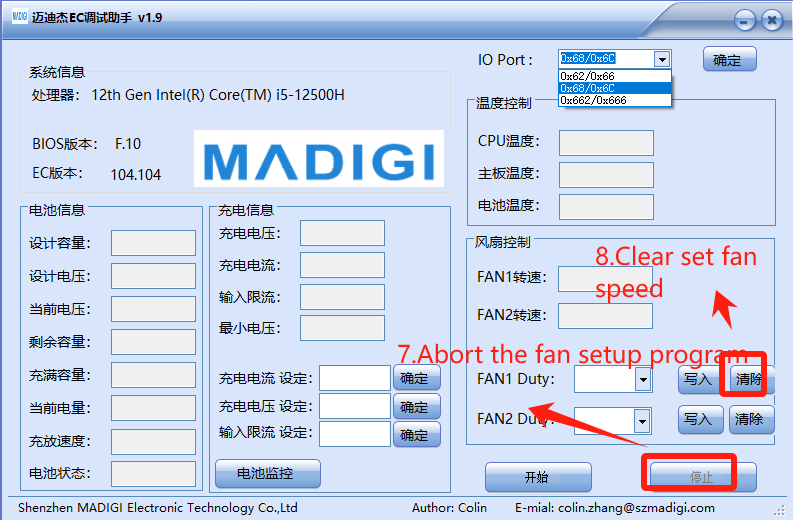
4. Cancellare le impostazioni e rifare il debug
- Abort the fan setup program——Step7【停止】
- Clear set fan speed——Step8【清除】
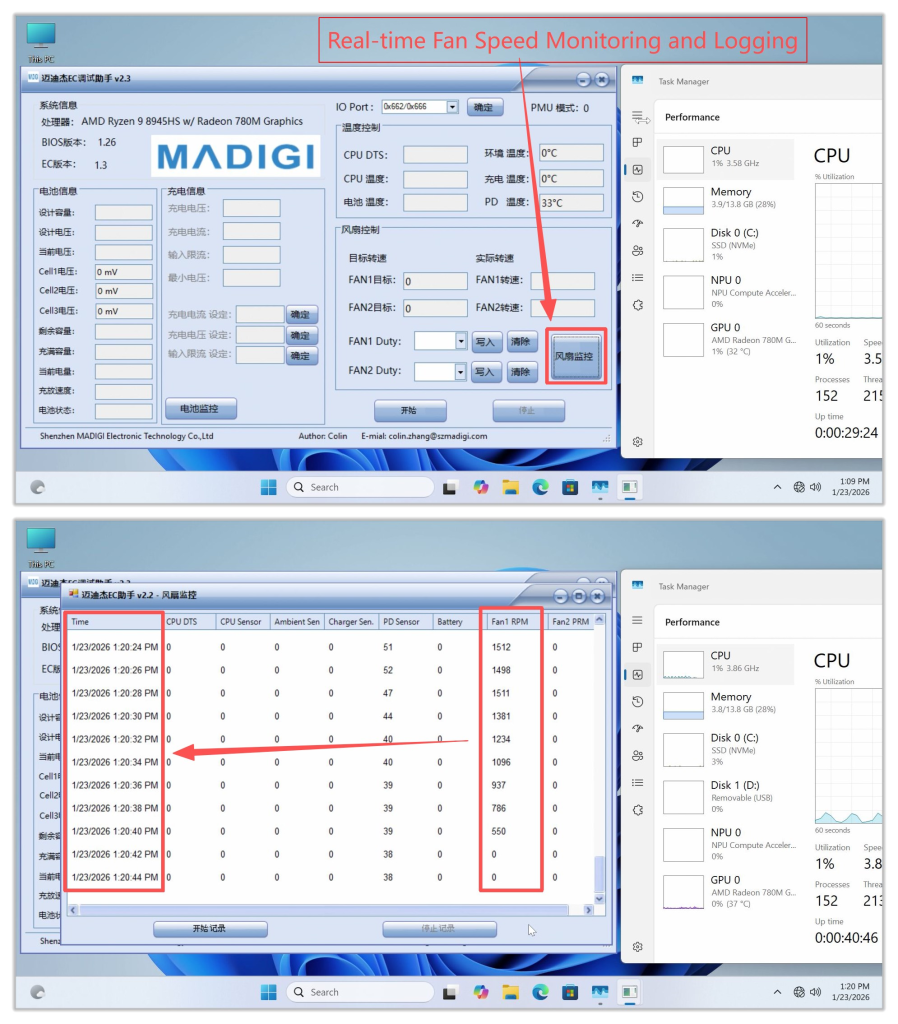
Other Features: Fan Speed Monitoring and Logging
- Clicking this button will display real‑time fan speed. If the fan speed is abnormal, you can take a screenshot and provide feedback to GEEKOM Engineers.
- It is recommended to open an additional Task Manager window and place it nearby to monitor hardware resource usage under different fan speeds. Generally, higher CPU usage leads to increased temperatures, which in turn causes the cooling fan speed to rise.
Grazie per aver guardato. Se ci sono errori, le vostre correzioni sono benvenute.

 Italiano
  English
  Deutsch
  English (UK)
  English (Australia)
  Français
  English (Canada)
  Español
  Русский
  日本語
日本語