
Updated on Jan 7, 2026
Reasons for the Failure
AMD Latest Graphics Driver WHQL (AMD Software: Adrenalin Edition 25.8.1/25.9.1 for Win10/Win11 Aug RDN) Incompatibility with A9 Max.
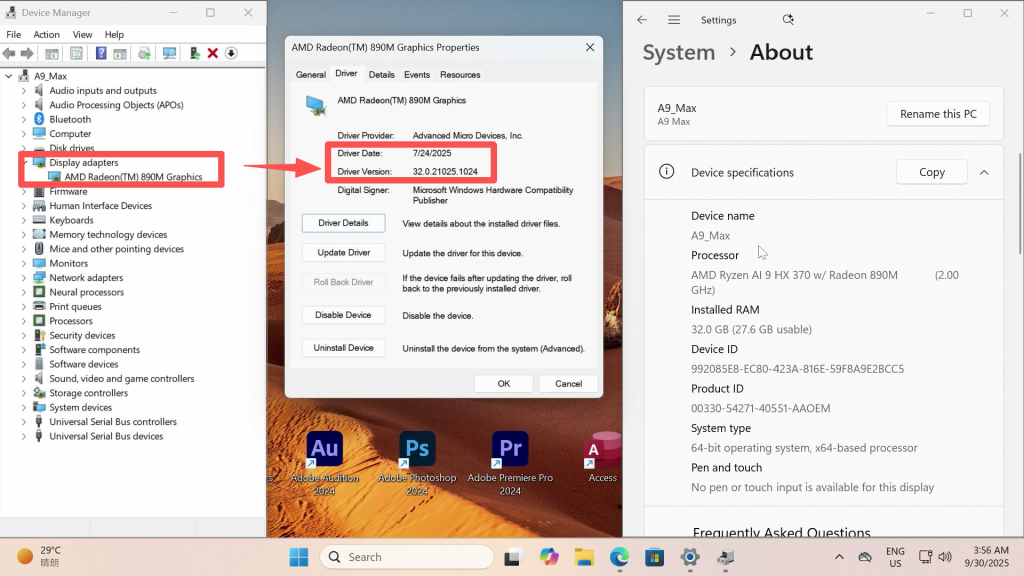
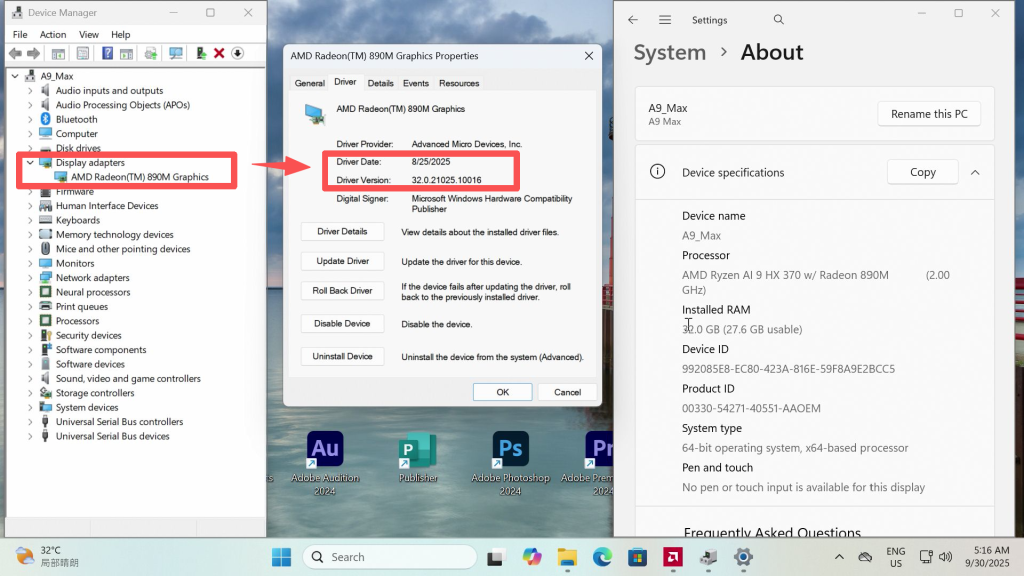
Failure Symptoms
When using the A9 Max normally, after clicking to enter sleep mode or when it automatically enters sleep mode, clicking the keyboard or mouse causes the power button LED to change from a breathing/flashing state to a constant light. However, the device fails to display the desktop properly. At this point, the device starts to overheat, and the cooling fan does not operate. Ultimately, the only solution is to long-press the power button to force a shutdown and then restart the device.
Specific Characteristics
The issue exhibits the following characteristics:
- Clicking the keyboard or mouse fails to wake the device from sleep mode.
- The power button LED is on, but there is no display.
- Severe overheating occurs, but the cooling fan does not operate.
Solutions
Updating to the latest BIOS for A9 Max, this will completely resolve the abnormal sleep function issue.
- BIOS V0.25——One Click installation Vision:It runs directly in Windows and will automatically restart after the update is complete.
- Click Download
- BIOS Update in Progress
- After the on-screen update, the display may go blank for about 5 minutes.
- The machine is still running and will automatically reboot.
- Warning: Do not force shutdown or unplug the power during this time.
- BIOS Update Video Example (on Google Drive):https://drive.google.com/file/d/162MIxwO-AjJrgnFl1EWBmsRM_m6f09EK/view?usp=sharing
- BIOS V0.25——USB Flash,Automatic installation:It supports installation via a USB drive and can be set up for automatic installation through the BIOS. This method is compatible with all operating systems
- Click Download
- The detailed installation tutorial for the BIOS is as follows (includes a video tutorial):https://service.geekompc.com/faq/update-bios-ec/
Спасибо за просмотр. Если есть какие-либо ошибки, ваши исправления приветствуются.

 Русский
  English
  Deutsch
  English (UK)
  English (Australia)
  Français
  English (Canada)
  Italiano
  Español
  日本語
日本語